Restoring a damaged print: what disappeared and what changed
An analysis of a published portrait example: cracks disappear, while the border, framing and small details change. Compare both files.
FotoLab editorial team · · How we check results

2048 × 2048 px · WebP
Open the full file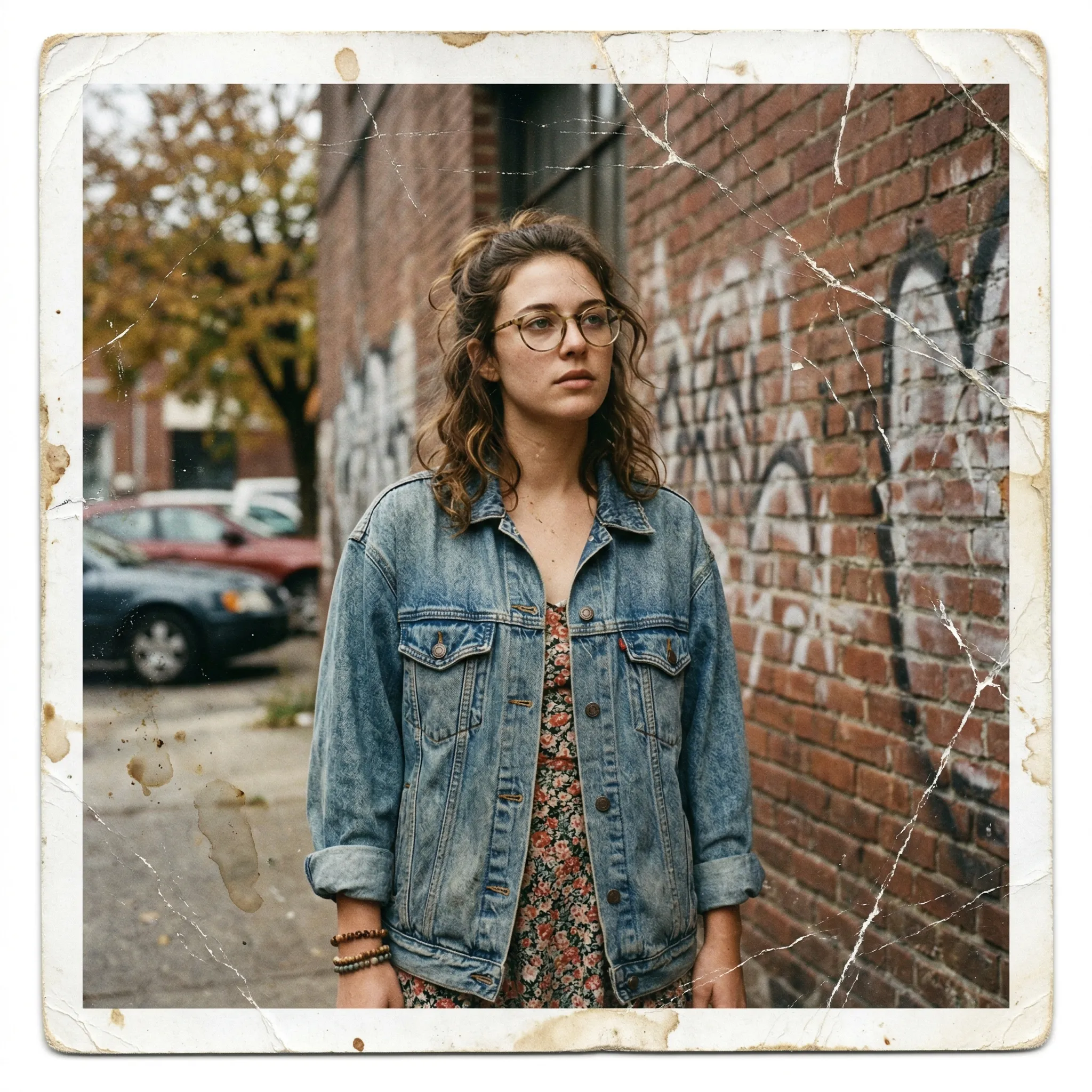

1024 × 1024 px · JPEG
Open the full file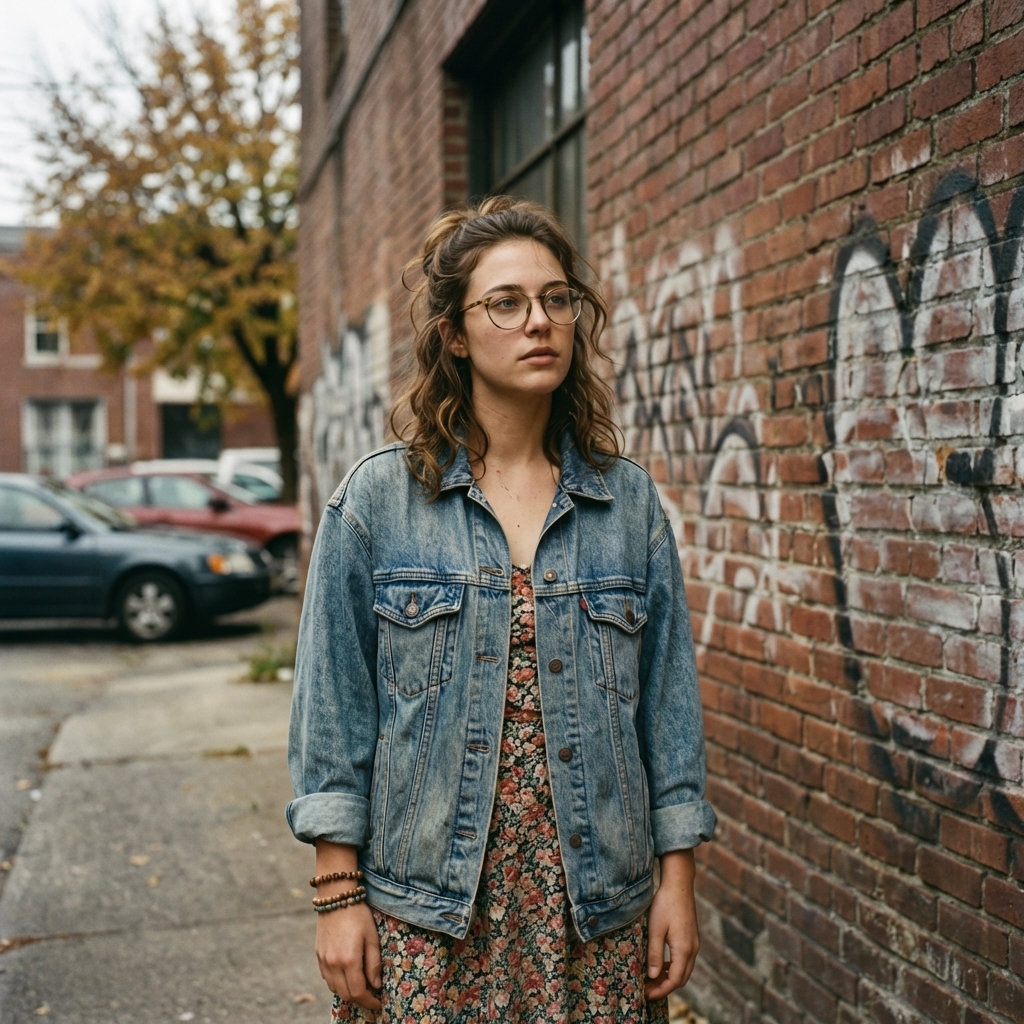
This editorial comparison uses an existing pair from the FotoLab demonstration gallery. It is not a new processing run or a verified customer story. The files do not establish the date, identities, exact settings, number of runs or credits used. Original files are preserved; the previews are only resized and compressed.
The images keep their own framing; they have not been stretched or aligned for comparison.
What is visible in the source
The demonstration input has cracks across the background and near the clothing, brown marks on the paper and a worn border. The face remains fairly clear; some defects lie away from it. This makes the pair useful for checking whether processing also changes undamaged areas.
What looks better
- Most crack lines and paper stains are no longer visible in the published result. The background and clothing are easier to examine without those defects.
- Glasses, hair and jacket seams look more distinct. This is a visual observation, not a measurement of resolution or accuracy.
What changed, and the limits of this example
- The damaged border is removed entirely. The scale of the person and the frame edges change, so the two files are not aligned pixel for pixel.
- Skin tone, hair contours and fabric texture differ. A cleaner appearance does not prove that every small detail was recovered from the source.
How to check the result
Open both files at a larger size and compare the glasses, eyes, hairline and buttons. If the physical print, border and proportions matter, keep a separate unchanged copy: this result changes those features.
Prepare your own photograph
Scan the whole print without cropping its edges. Prepare a working upload copy if needed, while keeping the full scan. Avoid sharpening first: it can emphasize scratches as if they were image detail.
Prepare a scan and compare likeness · Open the restoration form
Check the chosen mode and current cost in the form before starting. AI reconstructs plausible details. Keep the source and save a local copy of the result you need.
Current credit packs · Photo handling and privacy · About FotoLab