Black-and-white family photo restoration: check every face
A group-photo example analysis: paper damage is removed and monochrome retained, while faces, hands and the caption need comparison with the source.
FotoLab editorial team · · How we check results

2048 × 2048 px · WebP
Open the full file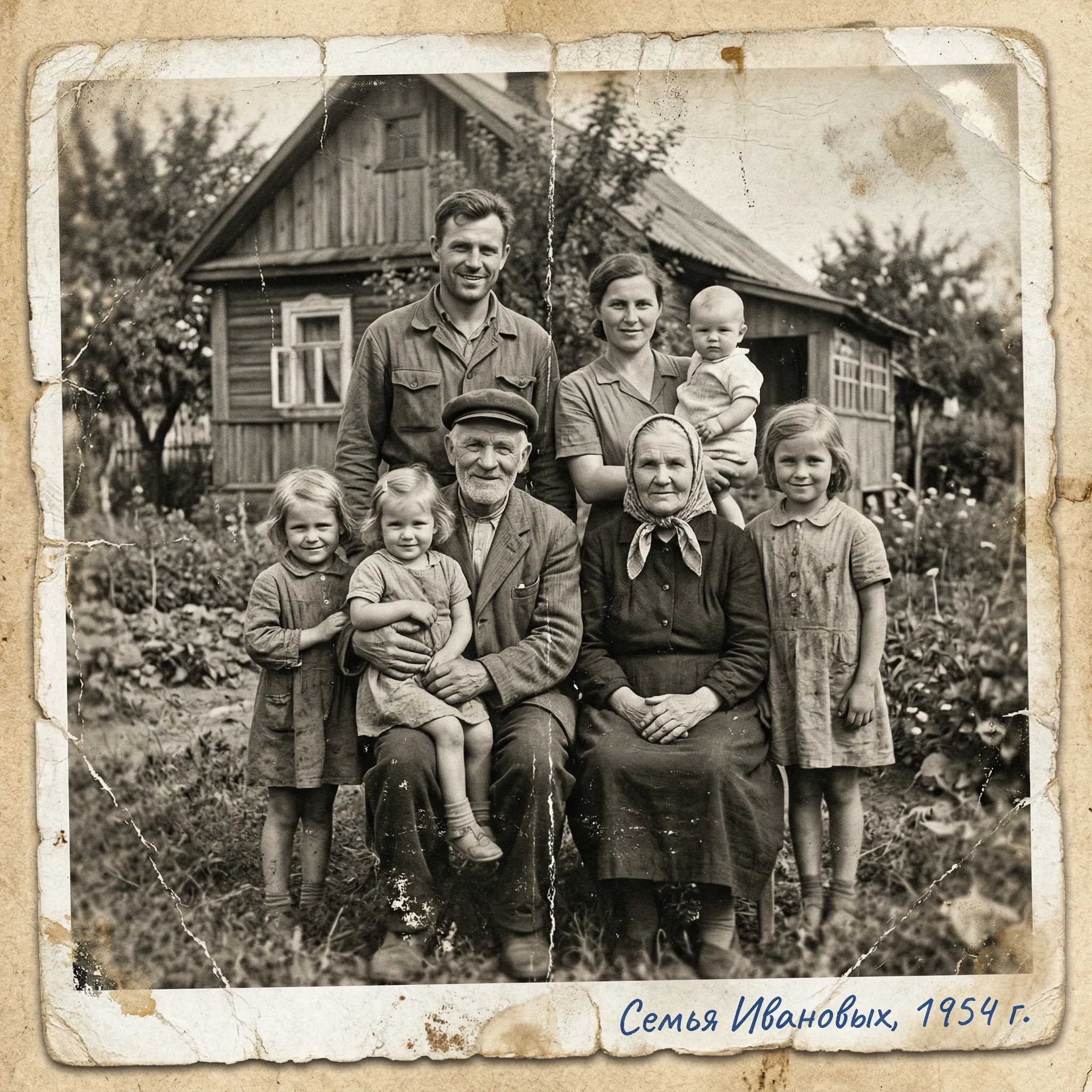

1024 × 1024 px · JPEG
Open the full file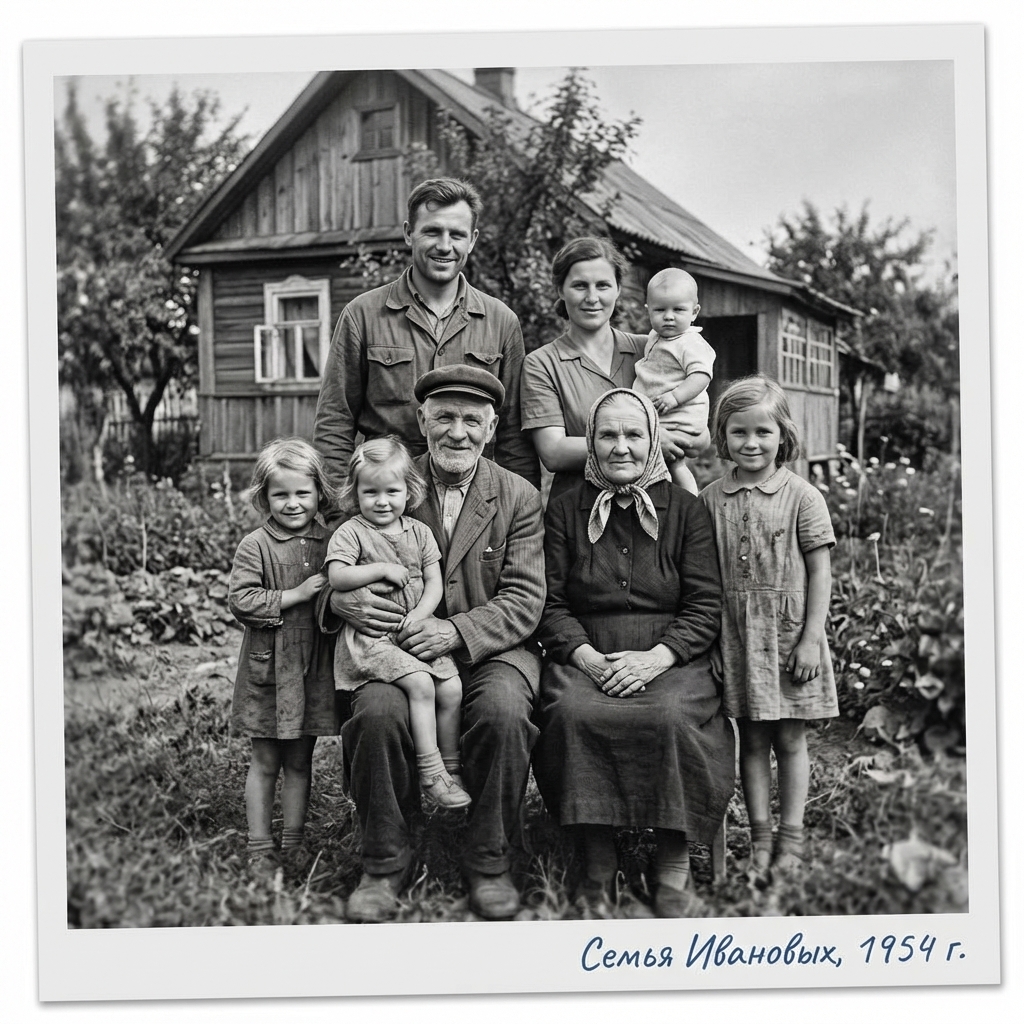
This editorial comparison uses an existing pair from the FotoLab demonstration gallery. It is not a new processing run or a verified customer story. The files do not establish the date, identities, exact settings, number of runs or credits used. Original files are preserved; the previews are only resized and compressed.
The images keep their own framing; they have not been stretched or aligned for comparison.
What is visible in the source
The demonstration shows several adults and children in front of a wooden house. Cracks, wear and stains affect both the border and the image, with a handwritten caption below. The people, date and family identity are not independently verified; words on the image do not establish its provenance.
What looks better
- Large marks on the paper and crack lines crossing the image are no longer visible. The border looks cleaner and more regular.
- The black-and-white appearance remains. Faces and fabric patterns have stronger contrast and look more distinct.
What changed, and the limits of this example
- The border geometry and the scale of the group change. The output does not reproduce the physical paper as it was.
- Small facial features, fingers and fabric look different. The caption appears neater, so it should not serve as an exact copy of the original handwriting.
How to check the result
Zoom in and check each person separately: eyes, mouth, head shape and hands. Good likeness for one face does not verify the others. Transcribe an archival caption from the source yourself.
Prepare your own photograph
Choose a scan in which the smallest faces remain readable. Keep the full frame and caption, and scan the reverse separately. Monochrome processing can preserve the overall presentation but does not guarantee unchanged features for every person.
Prepare a scan and compare likeness · Open the restoration form
Check the chosen mode and current cost in the form before starting. AI reconstructs plausible details. Keep the source and save a local copy of the result you need.
Current credit packs · Photo handling and privacy · About FotoLab