Family photo colorization: color appears, cracks remain
A published before-and-after colorization pair. Clothing and background colors are inferred; paper damage remains in this result.
FotoLab editorial team · · How we check results

2048 × 2048 px · WebP
Open the full file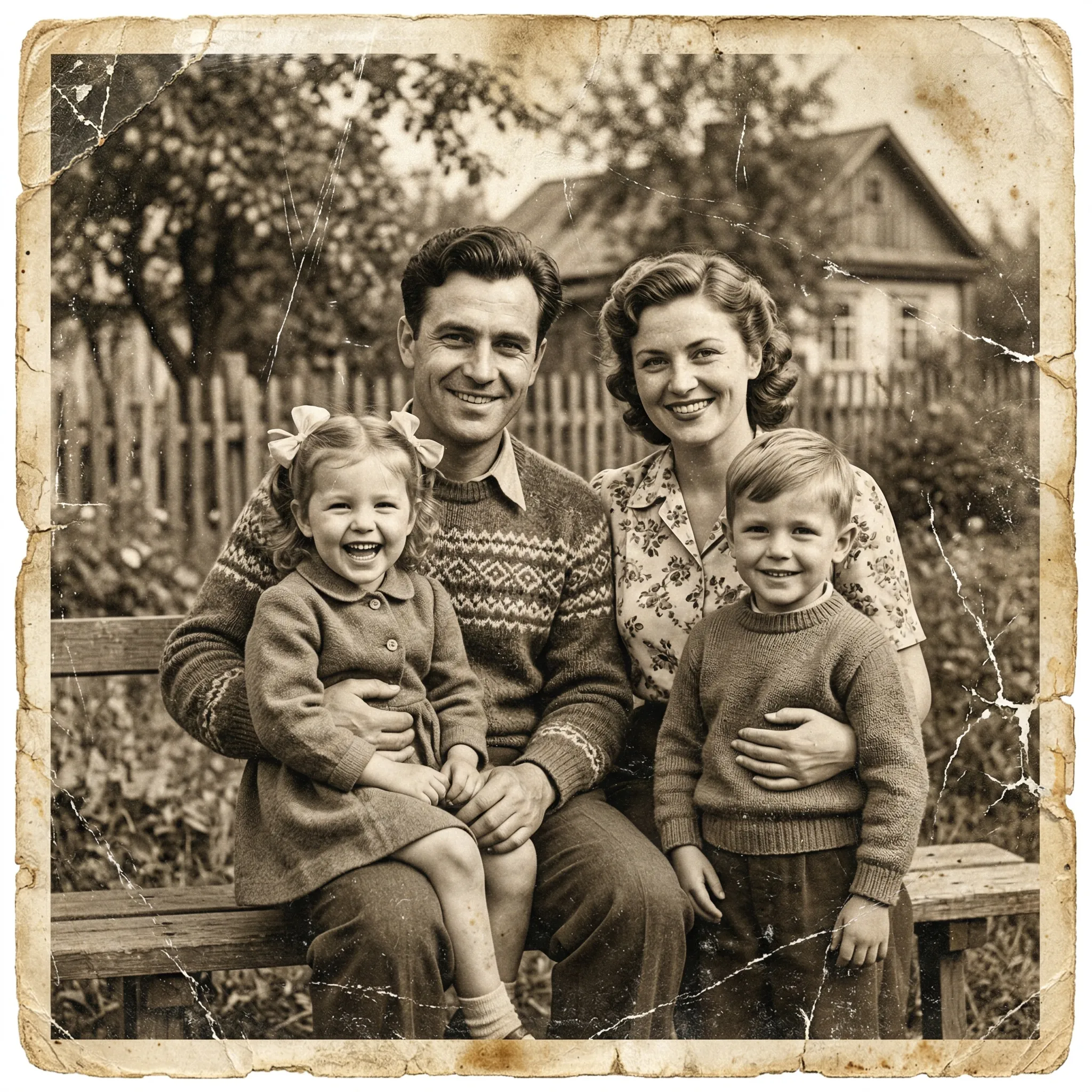

1024 × 1024 px · JPEG
Open the full file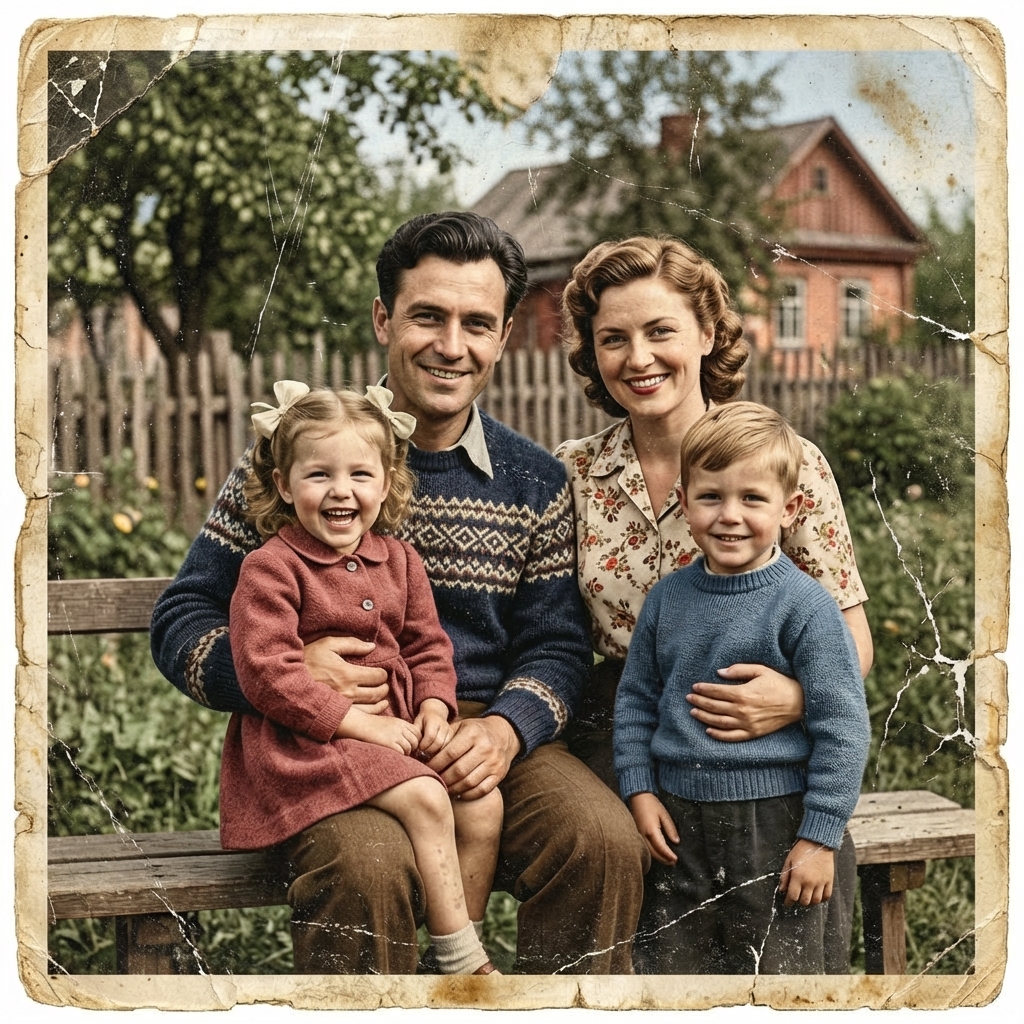
This editorial comparison uses an existing pair from the FotoLab demonstration gallery. It is not a new processing run or a verified customer story. The files do not establish the date, identities, exact settings, number of runs or credits used. Original files are preserved; the previews are only resized and compressed.
The images keep their own framing; they have not been stretched or aligned for comparison.
What is visible in the source
The input example shows a family on a bench. There is no original color information, only monochrome tones with an aged-paper tint. Long cracks appear across the surface, especially near the edges and bottom of the image.
What looks better
- The published color version separates skin tones, the green background and clothing, including blue sweaters and a pink dress. Color makes different objects easier to distinguish.
- The overall scene and arrangement of the people remain recognizable. The pair lets you compare how the same demonstration scene feels in monochrome and color.
What changed, and the limits of this example
- Hair, skin, fabric and house colors are not verified against an independent reference. They are plausible but may differ from the real colors.
- Most prominent cracks and the worn border remain. This pair demonstrates adding color rather than complete damage removal; facial and fabric details also differ.
How to check the result
Decide whether you need damage restoration or a color interpretation. Enlarge the result: color should not replace checking the faces and cracks. If other photographs establish clothing colors, compare those separately; this example includes no such verification.
Prepare your own photograph
Keep the monochrome source alongside the color version. Use a clear scan without glare. Label colorization in a family archive as a modern interpretation, rather than evidence of historical color.
Prepare a scan and compare likeness · Open the restoration form
Check the chosen mode and current cost in the form before starting. AI reconstructs plausible details. Keep the source and save a local copy of the result you need.
Current credit packs · Photo handling and privacy · About FotoLab